Error
Configures how errors are returned to users.
Operating modes
There are four primary operating modes:
- None (
none) -
Errors are logged but not returned to users. In fact, nothing is returned to the users besides a relevant HTTP status code.
- Text (
text) -
Errors are returned in plain text in the HTTP response body.
- Image (
image) -
The error message itself isn’t returned but the user receives an image indicating the general category of error. The images can be customized.
- Image with Header (
image+header) -
The same images are returned but the error message itself is returned as a special header:
x-error-message.
| It is highly recommended you use the Image mode for production usage. |
Returning an Image provides the most user friendly experience as it provides feedback to the user in the map they’re looking at that something is wrong. More importantly, it avoids exposing the specific error message to the end user, which could contain information you don’t want exposed. Image with Header is useful for development workflows, it gives the same user experience but allows you to easily get to the error messages.
Error responses set a Content-Type matching the mode: text/plain; charset=utf-8 for Text and, for Image and Image with Header, image/png, application/vnd.mapbox-vector-tile, or application/vnd.maplibre-tile depending on the erroring layer’s data type as described in Error Images. None mode returns no body and therefore no Content-Type.
Every error response also sets Cache-Control: no-store regardless of mode. This is most important when using AlwaysOk, since errors are then returned with a status of 200 like any other tile and a CDN or browser in front of tilegroxy would otherwise be free to cache them long after the underlying problem is resolved.
Configuration
| Parameter | Description | Type | Required | Default |
|---|---|---|---|---|
|
The error mode. One of: |
string |
No |
image |
|
Controls the error messages returned. See Error Messages |
No |
Various |
|
|
Controls the images returned for errors. See Error Images |
No |
Various |
|
|
If set we always return 200 regardless of what happens |
bool |
No |
false |
| Configuration Parameter | Environment Variable |
|---|---|
|
|
|
|
Error Images
When using the image or image+header modes you can configure the images you want to be returned to the user. Either use a built-in image or an image provided yourself on the local filesystem via relative or absolute file path.
Most error conditions have three fields: a raster one, an Mvt-suffixed one for Mapbox Vector Tile layers, and an Mlt-suffixed one for MapLibre Tile layers. We do our best to return the appropriate format based on the layer. It defaults to a PNG if the error happens early (like bad auth) or if we can’t determine the layer’s format (see the layer datatype parameter).
| Parameter | Description | Type | Required | Default |
|---|---|---|---|---|
|
The raster image to display for requests outside the extent of the layer |
string |
No |
embedded:transparent.png |
|
The vector tile to display for requests outside the extent of an mvt layer |
string |
No |
embedded:empty.mvt |
|
The vector tile to display for requests outside the extent of an mlt layer |
string |
No |
embedded:empty.mlt |
|
The image to display for auth errors. Always this raster image, regardless of the layer’s data type |
string |
No |
embedded:unauthorized.png |
|
The raster image to display for errors returned by the layer’s provider |
string |
No |
embedded:error.png |
|
The vector tile to display for errors returned by an mvt layer’s provider |
string |
No |
embedded:empty.mvt |
|
The vector tile to display for errors returned by an mlt layer’s provider |
string |
No |
embedded:empty.mlt |
|
The raster image to display for all other errors |
string |
No |
embedded:error.png |
|
The vector tile to display for all other errors on an mvt layer |
string |
No |
embedded:empty.mvt |
|
The vector tile to display for all other errors on an mlt layer |
string |
No |
embedded:empty.mlt |
| Configuration Parameter | Environment Variable |
|---|---|
|
|
|
|
|
|
|
|
|
|
|
|
|
|
|
|
|
|
|
|
Image Options
In addition to an image on the filesystem you can refer to a static color or a built-in image.
There are 4 built-in raster images available:
| Image name | Description | Preview |
|---|---|---|
|
A fully transparent image meant to be used for requests outside the valid range of a layer |
|
|
A semi-transparent solid red image |
|
|
A semi-transparent solid red image with the word "Error" in white |
|
|
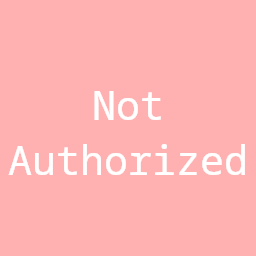
A semi-transparent solid red image with the words "Not Authorized" in white |
|



There are also 4 built-in vector tiles available, the .mvt ones for use with the Mvt-suffixed fields above and the .mlt ones for the Mlt-suffixed fields:
| Image name | Description |
|---|---|
|
A zero-byte, valid empty vector tile with no layers or features |
|
A vector tile with a single layer containing one polygon covering the tile’s full extent |
|
The MapLibre Tile equivalent of empty.mvt |
|
The MapLibre Tile equivalent of box.mvt |
To utilize them prepend embedded: before the name. For example embedded:transparent.png or embedded:empty.mvt
You can also reference any color by including a hex code prefixed by color:. The color code can be RGB or RGBA and have single or double hex digits. For example the following all generate an identical violet tile: color:FF00FFFF, color:FF00FF, color:F0F, color:F0FF. This only applies to the raster fields; a color: value isn’t a valid vector tile.
Error Messages
The templates used for error messages for the majority of errors can be configured. Since tilegroxy is a backend service the main time you see words coming from it is in error messages, so it’s all the more important to be flexible with those words. This is most useful for those whose primary language is not English and want to decrease how often they need to deal with translating. Unfortunately, many lower-level errors can return messages not covered by these string.
Each message is a template where %v is replaced by the relevant value, such as the parameter name.
-
YAML
-
JSON
error:
  mode: image+header
  messages:
    notauthorized: Nicht autorisiert
    timeout: Zeitüberschreitung
{
"error": {
"mode": "image+header",
"messages": {
"notauthorized": "Nicht autorisiert",
"timeout": "Zeitüberschreitung"
}
}
}| Message | Default |
|---|---|
|
|
|
|
|
|
|
|
|
|
|
|
|
|
|
|
|
|
|
|
|
|
|
|
|
|
|
|
|
|
|
|